hours 0 to 50
Purpose of a Defined Post-Processing Workflow
I firmly believe that having a plan, or defined workflow, for post-processing leads to huge efficiency gains and better images, even if you don’t stuck to it.
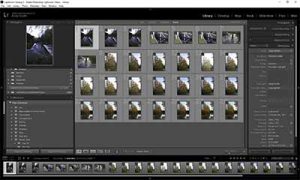
I’m starting with RAW images straight from the camera’s memory card. I import these into Lightroom (in my case Classic CC) where I do the bulk on the selection and processing; final tweaks I do in Photoshop CC.
There are some steps in the process that are more applicable to different styles of photography than others, i.e., portrait, Landscape, Macro, etc. My familiarity, is greatest with Landscape photography at present, so I will inevitably lean in this direction, but will add sections relevant to other styles, to the extent that I can.
I’m a PC user (sorry), so if you need to translate to Mac: <CTRL> = <cmnd>, and “right click” = who knows! But everything else should be the same, and certainly the overall principles apply.
12 1/2 Steps.
This is a post that I particularly expect to revisit in the future. So, if you have any ideas or thoughts, please post comments below.
To see more posts on other photographic topics, or to follow my learning progress, please like or follow me on the social media channel of your choice to the right